PokeBonk: where to play
& how to start
PokeBonk puts Pokémon survival in a 3D world. Find the original game, choose a partner and make sense of your first run.
Play Original opens pokebonk.com in a new tab. This is an independent guide, not the game host or a Nintendo website.
Checked 18 Oct 2026 · v0.6.2 · Desktop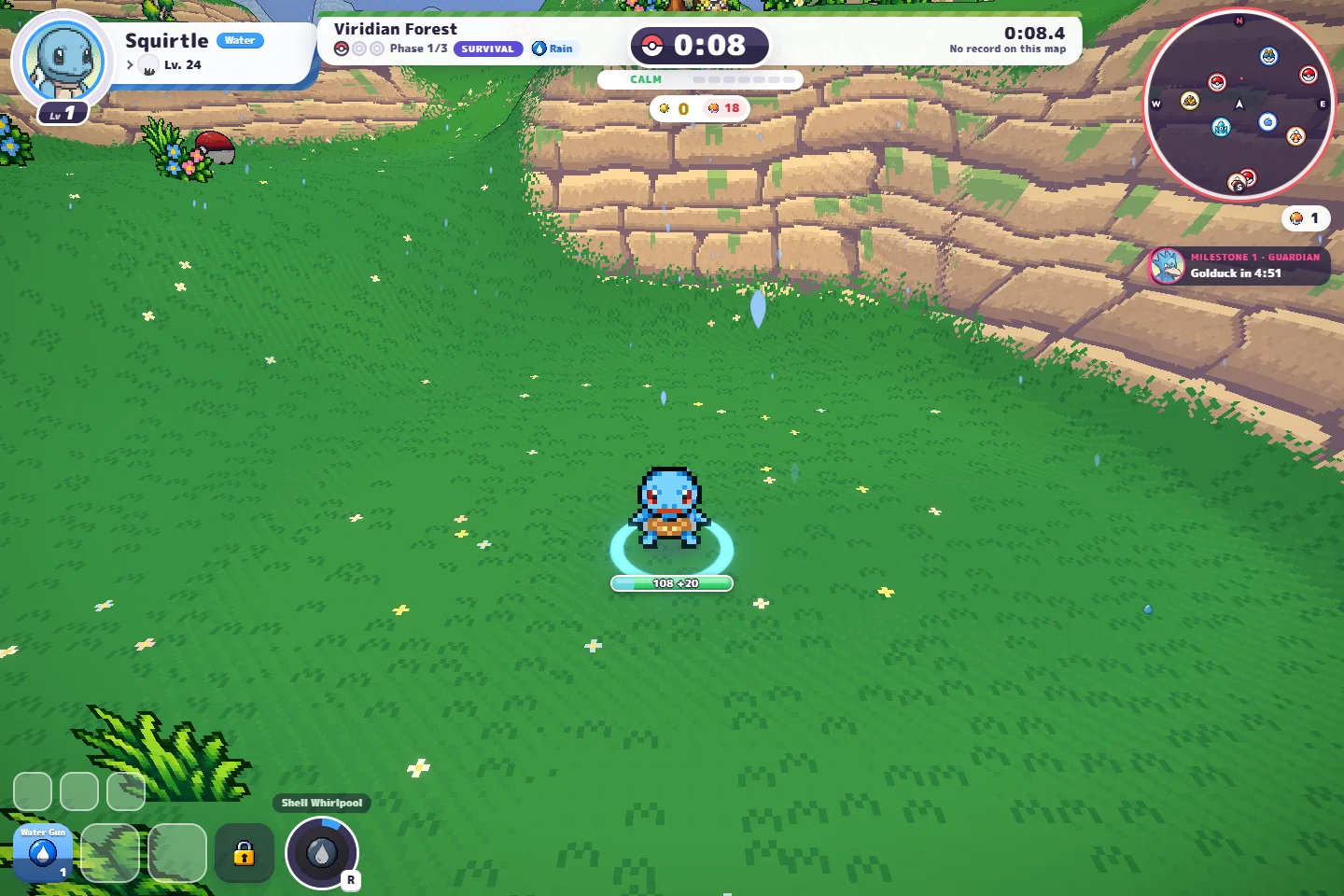
What is PokeBonk?
PokeBonk is Charcher’s free, unofficial browser fan game, inspired by Megabonk. You move a partner through a 3D arena while attacks fire automatically. Level-up choices shape the run. The original project says it is played on its website, with no download distribution.
Your first four steps
Use the English interface to match these screenshots. All four steps stay visible; no checklist is required to play.
Enter as a guest
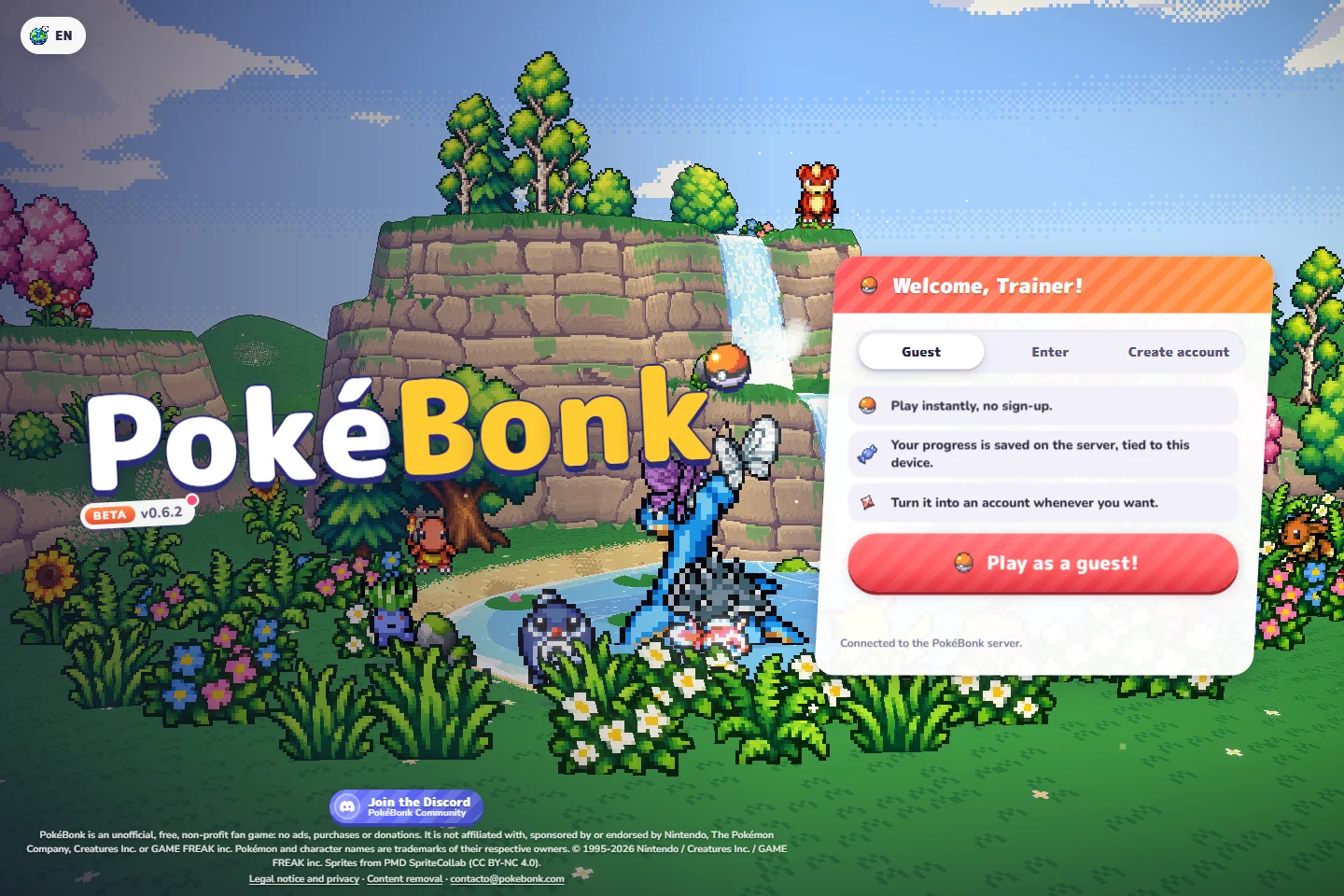
Open pokebonk.com, choose Guest, then Play as a guest! No account creation is needed for this entry. Returning players may already see the menu.
Choose your first partner
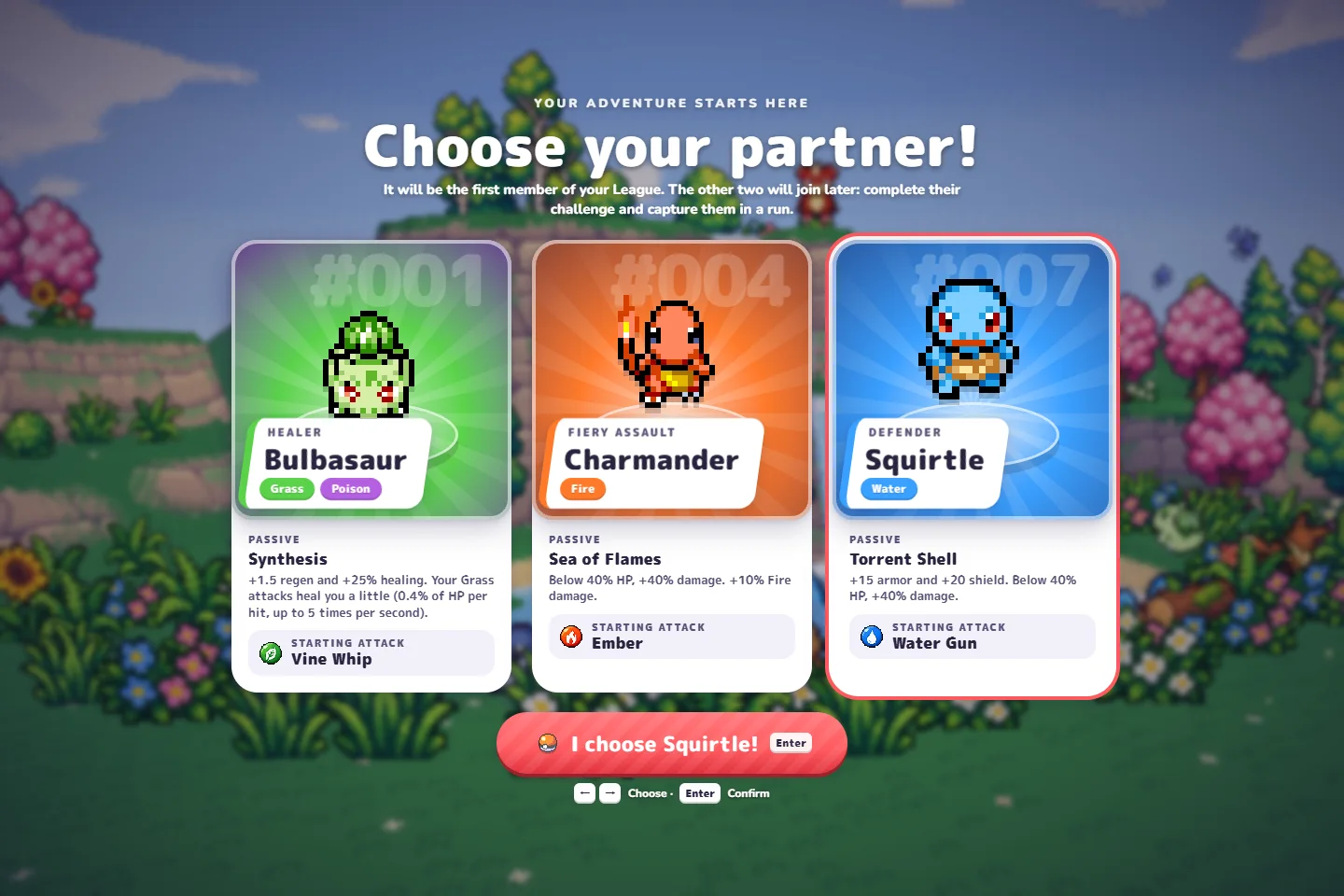
Choose Bulbasaur, Charmander or Squirtle, then confirm the named button below the cards. The screen says the other two require their challenges and capture later; they are not all immediately in your League.
Confirm a League member
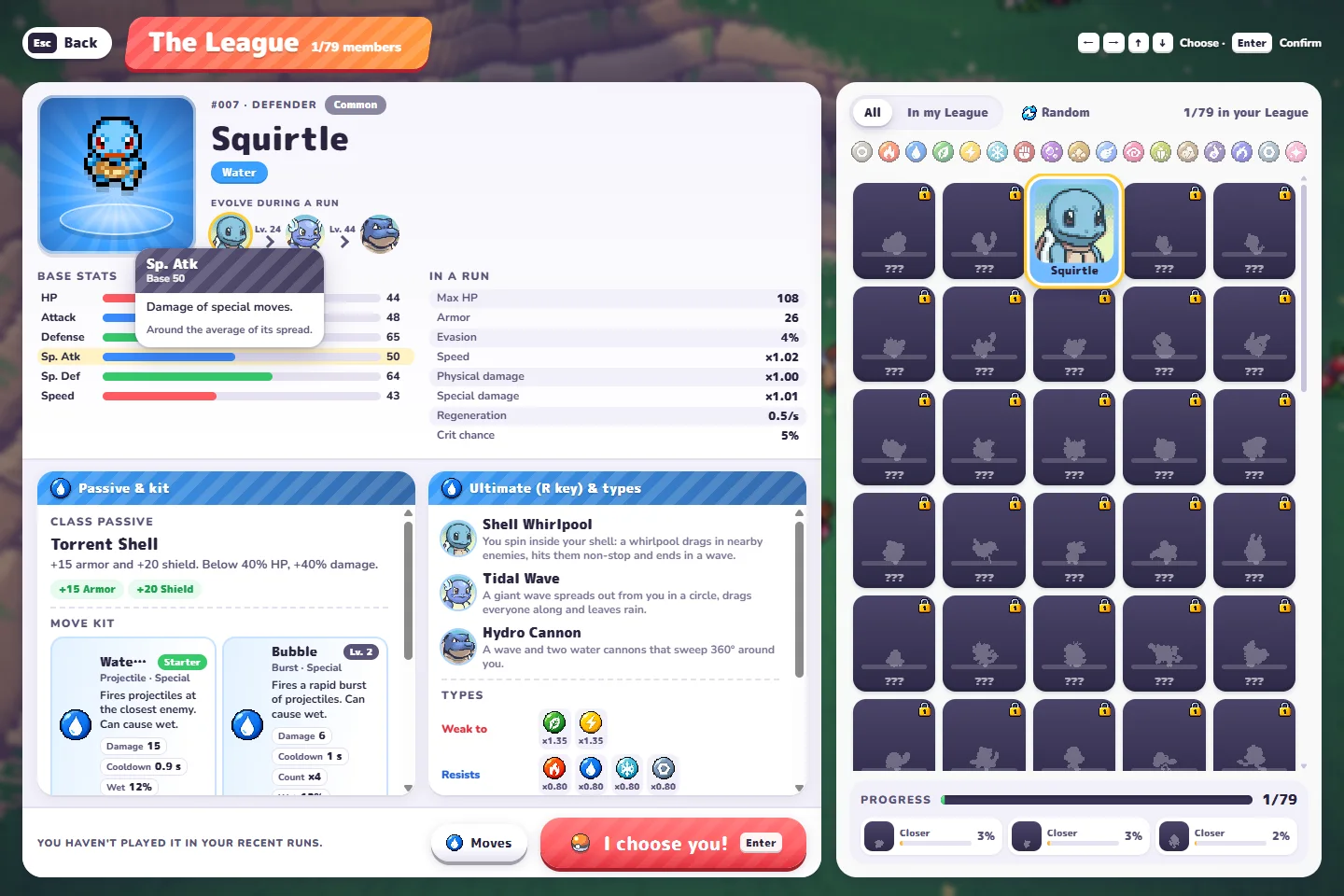
From the main menu, Play opens The League. Read your available partner’s kit, then press I choose you! or Enter. Our walkthrough uses Squirtle.
Prepare and start
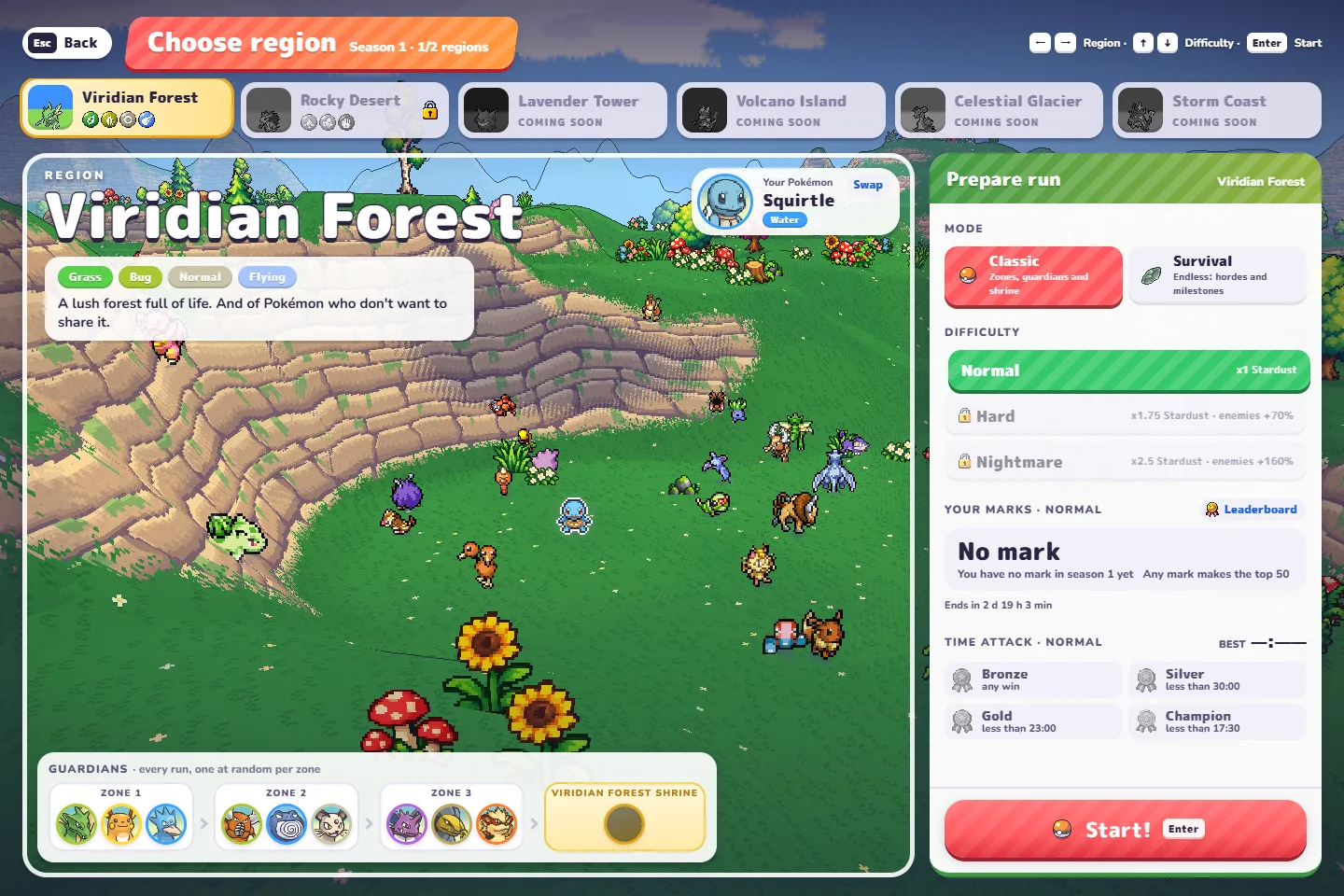
Choose an available region and mode. Classic offers difficulty choices; the Survival preparation panel we checked did not. We played Survival in Viridian Forest. Press Start! and let the scene load.
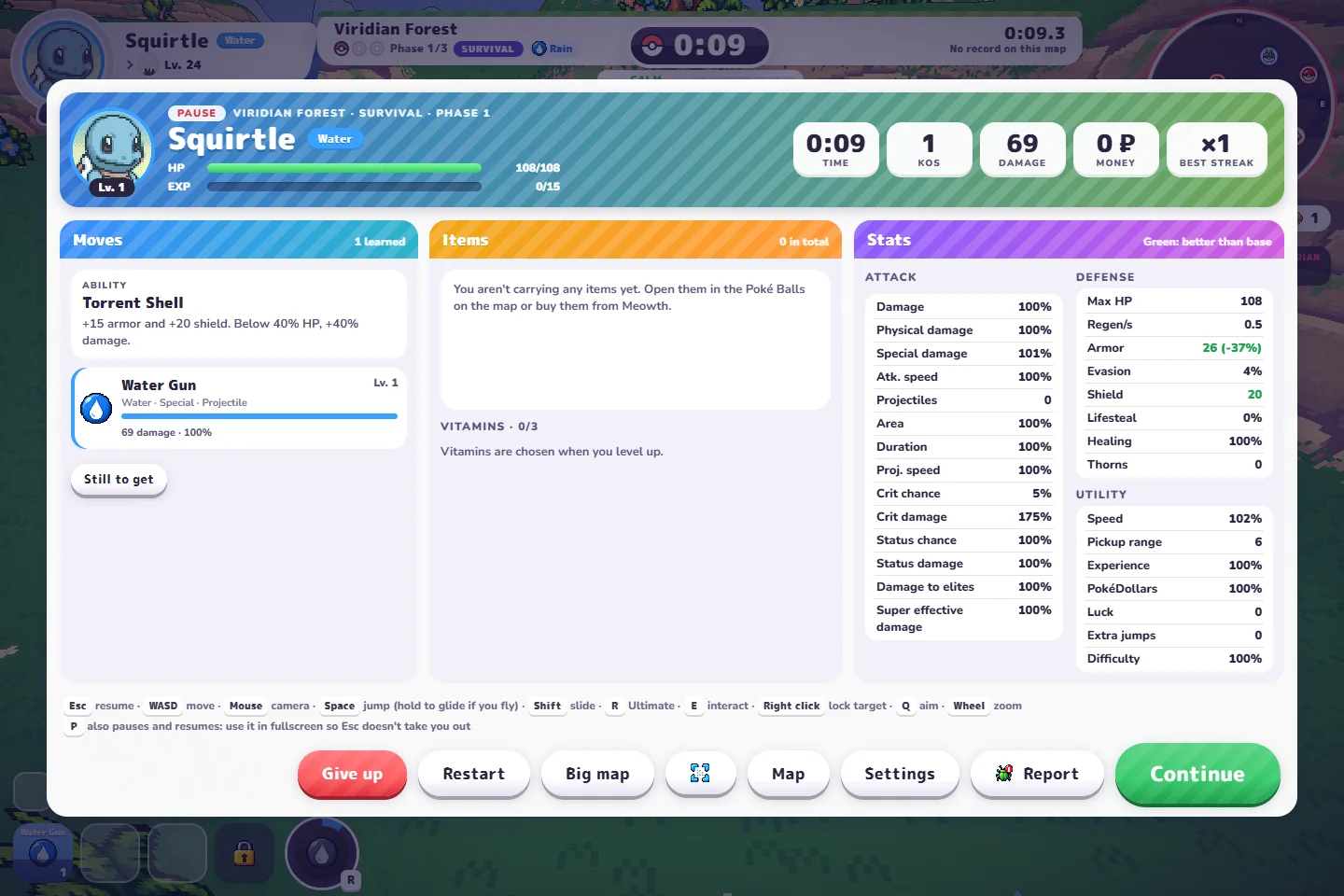
Move comfortably, pause to inspect your kit, then read one upgrade. Our Water Gun attacked while we moved; selecting Bubble at level 2 added a second damaging move. This short check is not a completed run.
Desktop controls, without the guesswork
Default bindings from v0.6.2. Open Settings → Keys if your bindings differ; use Settings → Controls for aiming and camera options.
Automatic targets the closest enemy. Manual points toward the camera. Q toggles the mode. The pause help also lists P as a way to pause in fullscreen without Esc taking you out of fullscreen.
See the current control screens and testing limits
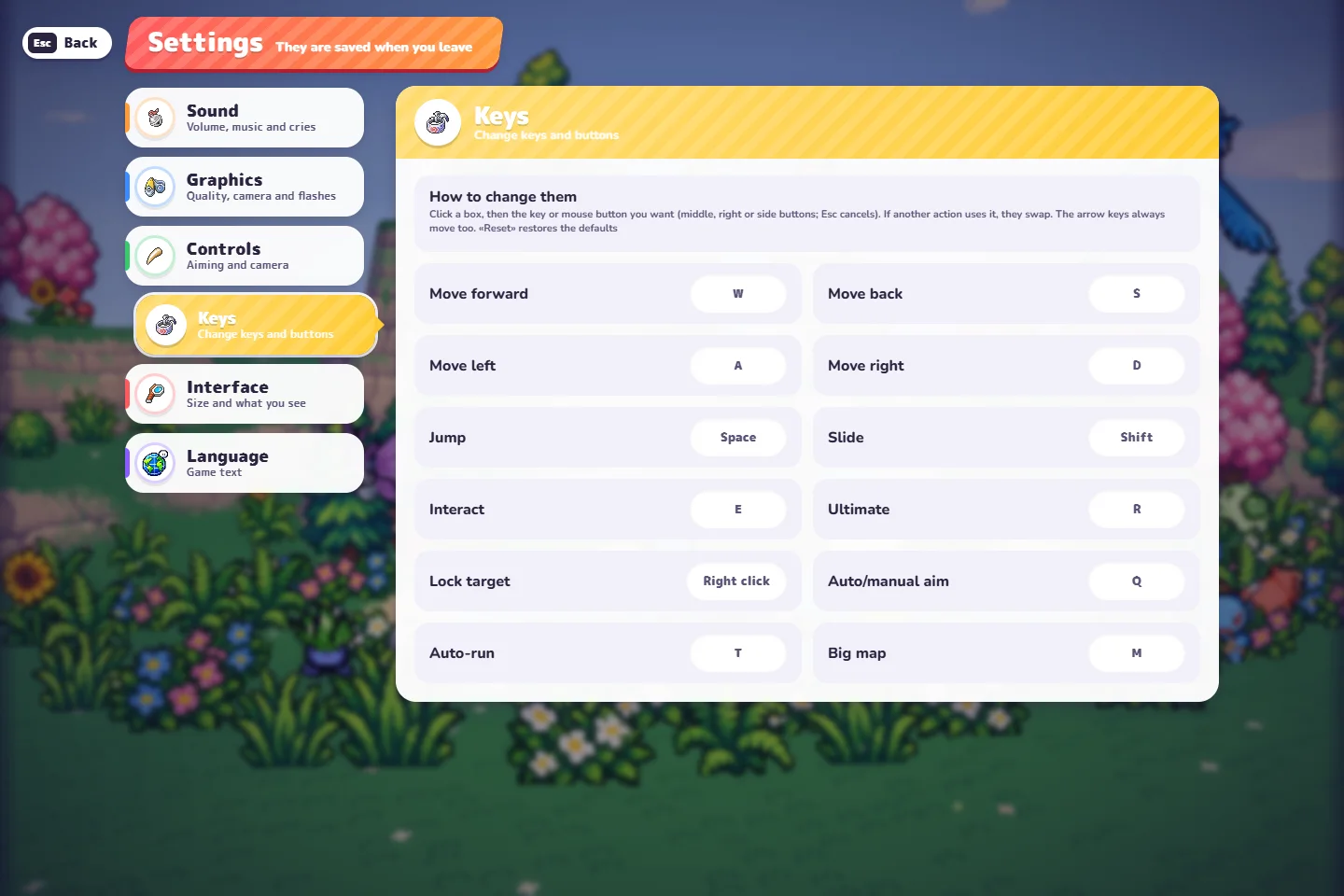
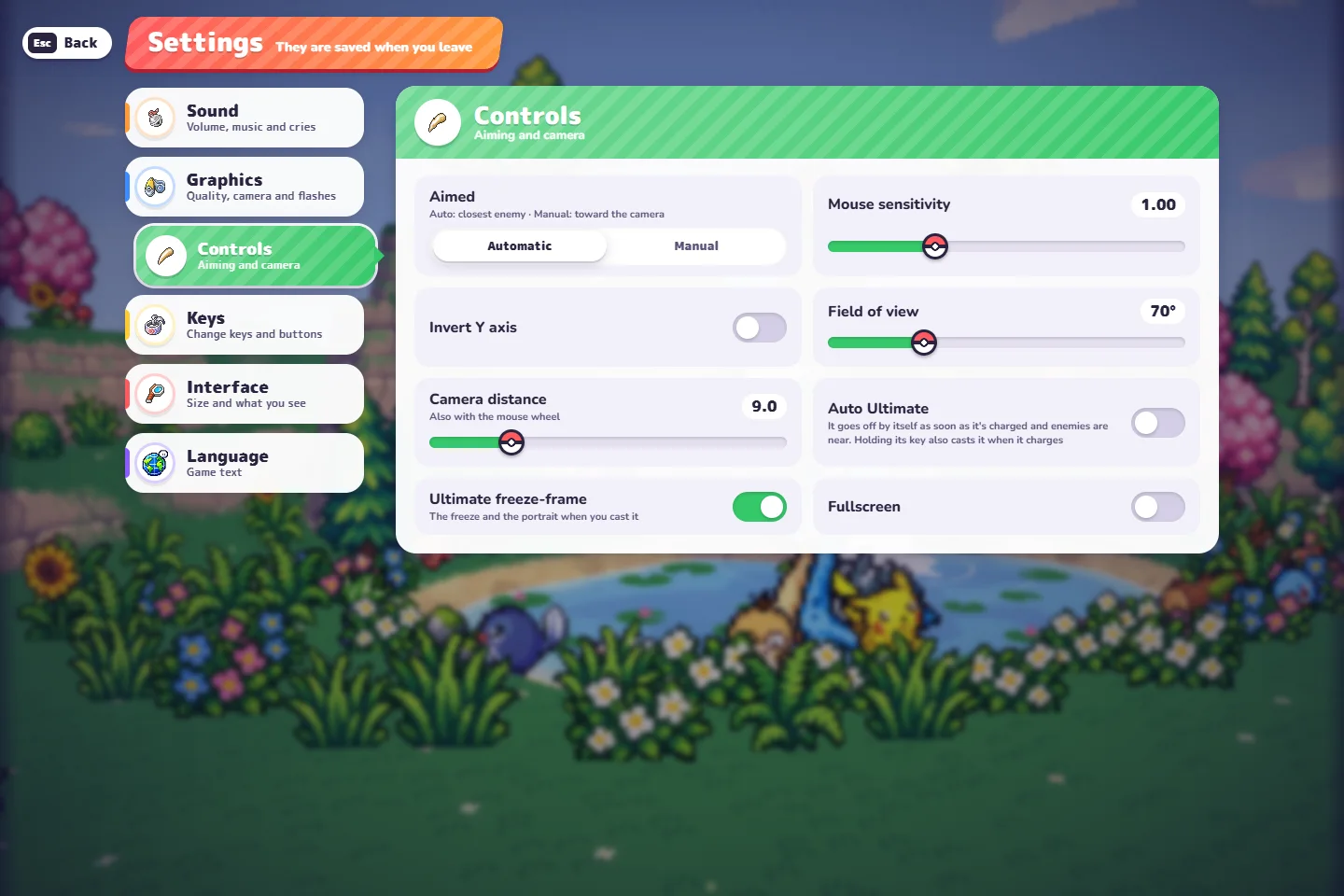
Movement, automatic attacks and Esc pause were used in our short desktop run. Other bindings are transcribed from the game’s settings and help; we have not tested every action, a physical controller or mobile touch play.
Which PokeBonk starter fits you?
There is no tested “best” here. Compare what each passive gives you, then choose a first partner with a clear purpose.
Compare the three starting kits. These are preference suggestions, not a strength ranking.
Bulbasaur
Starting attack: Vine Whip
Synthesis
Regeneration and stronger healing, with small heals from Grass hits.
A useful starting point if you want to learn how recovery works while staying on the move.
Healing does not prevent enemies from surrounding you.
Charmander
Starting attack: Ember
Sea of Flames
Extra Fire damage, plus a damage bonus while below 40% HP.
A useful starting point if you want to explore a Fire-focused kit.
Treat low-health damage as a conditional bonus, not a reason to take hits.
Squirtle
Starting attack: Water Gun
Torrent Shell
Extra armor and shield, plus a damage bonus while below 40% HP.
A useful starting point if you prefer a defensive passive. This is the partner used in our opening-run screenshots.
A shield is a buffer, not invincibility. Keep an escape route open.
Passives and starting attacks checked in the original v0.6.2 partner screen. Only Squirtle’s opening run was playtested here; no win-rate comparison is claimed. “Compare all” resets your preference.
Read the card before choosing the upgrade
Our Squirtle reached level 2 at about 33 seconds. This was the actual offer: Bubble, PP Up and Stardust. Select a label below to highlight what to look for.
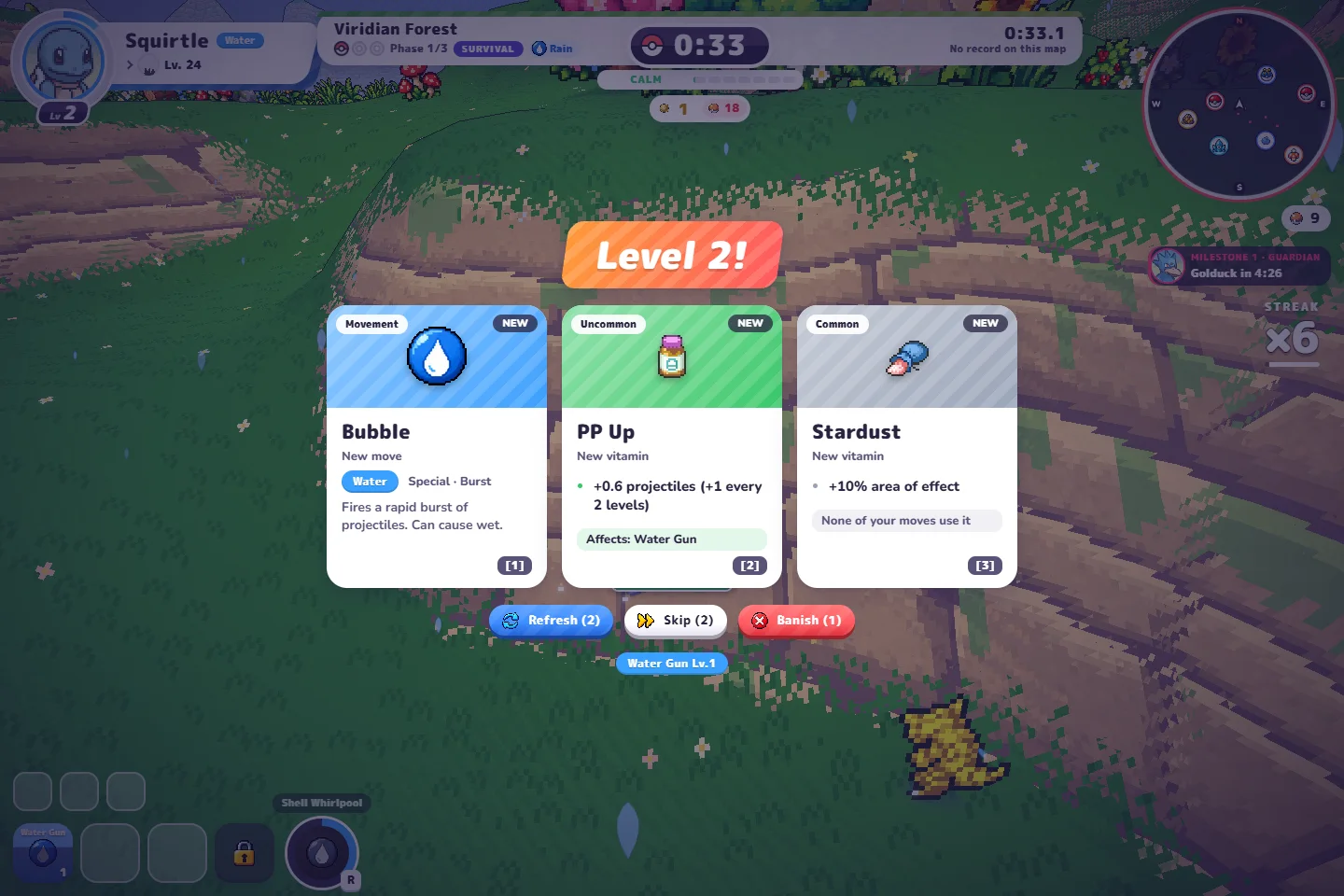
Look for “New move” and check what kind of attack it adds.
1 · Bubble
A new Water attack. We chose this card; Bubble then appeared next to Water Gun, and the pause panel recorded damage from both.
2 · PP Up
This offer listed extra projectiles and explicitly named Water Gun under “Affects”. That line connects the vitamin to the kit you already have.
3 · Stardust
This offer listed more area of effect, but warned “None of your moves use it”. We did not choose it or test later combinations.
One actual level-2 offer, not a guaranteed sequence or a best-build recommendation. Future cards can differ.
What changed after choosing Bubble?
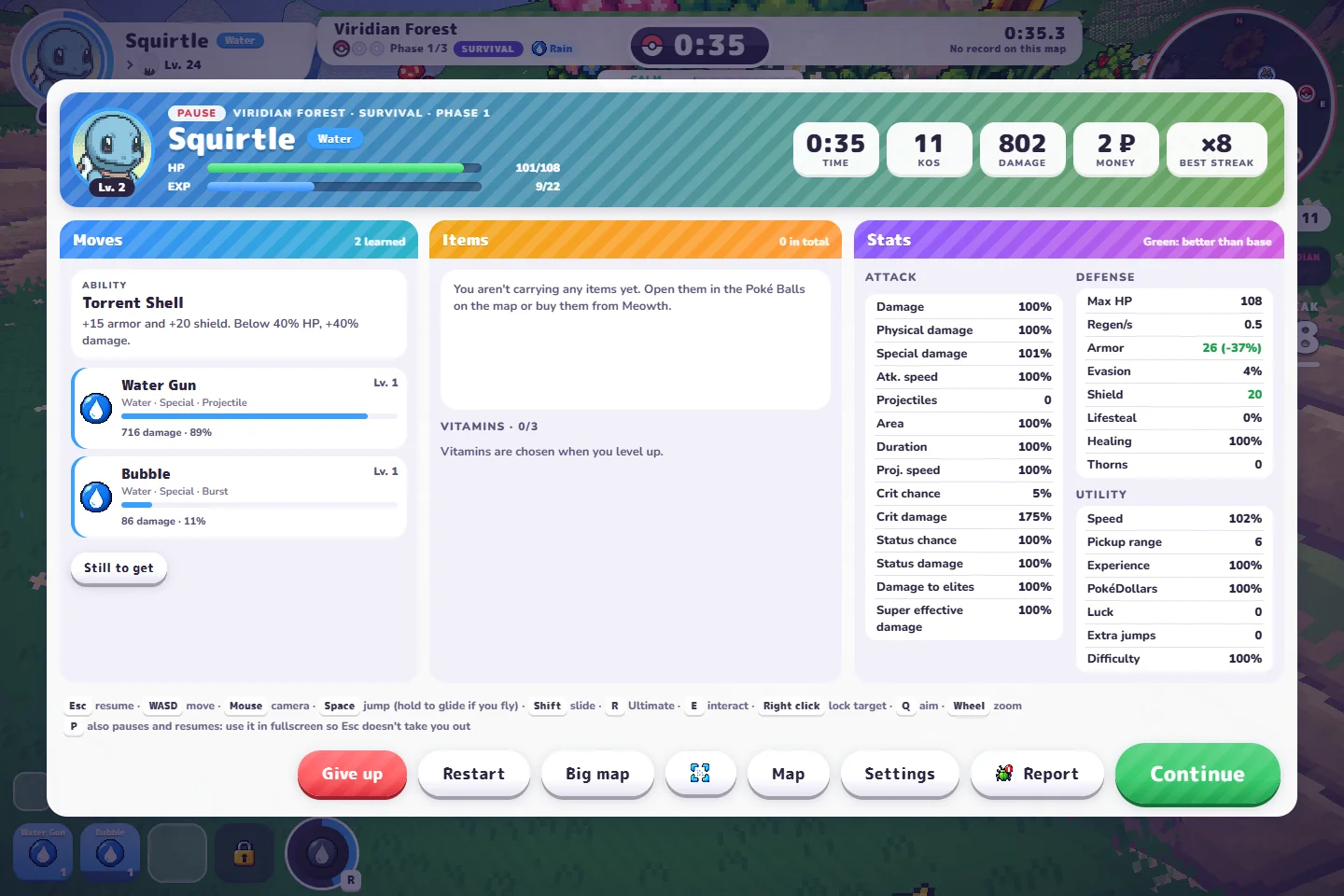
We selected Bubble, resumed briefly and paused. Both Water Gun and Bubble appeared in the move list with recorded damage. Use pause to check what your own choice changed rather than assuming every card benefits your current attacks.
PokeBonk vs PokeSurvivor
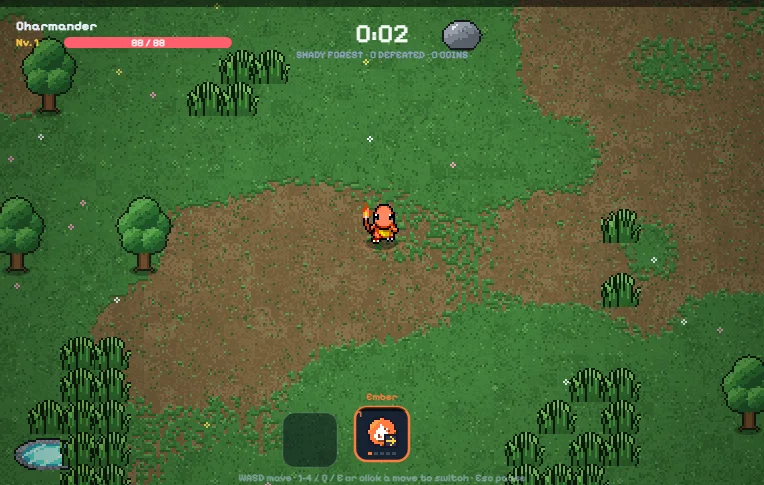
This website mainly covers PokeSurvivor. Its move planner and evolution requirements do not describe PokeBonk.
| Question | PokeBonk | PokeSurvivor on this site |
|---|---|---|
| Where do I play? | External original game at pokebonk.com. | Local solo edition on our home page. |
| How do I move and aim? | 3D movement and camera; Q changes aiming mode. | Top-down movement; Q / E switch the active move. |
| Which upgrade rules apply? | Read the current game’s partner kit and offers. Full evolution chains are not verified here. | Our move database covers this fixed version. |
| Where is progress kept? | The Guest entry says progress is server-saved and tied to the device. Recovery has not been tested here. | Progress stays in browser storage on our game host; it is not synced to PokeBonk. |
Quick answers and a next step
Is PokeBonk free, and do I need a download?
The original project describes it as free and non-profit, played on pokebonk.com. Its project notice says it does not distribute a download. Our Play Original link opens that website.
Is PokeBonk an official Pokémon game?
No. It is a fan project led by Charcher, independent of Nintendo and the Pokémon rights holders. This guide is also independent of the game project.
Can I begin without registering?
Yes. We used Guest → Play as a guest! and reached a real run. The menu says guests do not appear on the leaderboard. Account features and save recovery were not tested.
Why are my menus or cards different?
Check the version beneath the original game logo and your language setting. These screenshots are v0.6.2 in English. Your unlocked partners, mode and random upgrade offers can differ.
The camera or attacks feel wrong. What should I check?
Open Settings → Controls and check Automatic versus Manual aiming. Open Settings → Keys for your actual bindings. Start with one change and compare what it does.
What if the game is blank, slow or my progress seems missing?
Confirm that you are on pokebonk.com. For performance, inspect its Graphics settings. For missing progress, preserve the current browser session and record the version and symptom before contacting the original project. Do not start by clearing site data. This guide cannot inspect or restore its private saves.
Can I use a phone or play with friends?
This guide verifies a desktop Guest opening only. It does not establish current mobile compatibility or released co-op. Check the original game and its current announcements; a clan feature alone does not prove multiplayer play.
What we checked
18 October 2026 · Original PokeBonk v0.6.2 · English interface · Desktop Chrome. We checked Guest entry, the three starting kits, Squirtle’s League profile, preparation, Keys and Controls, and a short Viridian Forest Survival run through level 2. Movement, automatic attacks, pause and learning Bubble were observed. No completed run, full evolution chain, comparative build ranking, mobile gameplay, co-op or save recovery is claimed.
Screenshots on this page were captured during those checks. Game by Charcher’s project; Pokémon names and artwork belong to their respective rights holders. These images illustrate the original game, not our hosted PokeSurvivor edition.